Camera Company
Company
Shop By Category
T&Cs
Shop Online
  • The maker's specifications on every page
  • Free tracked delivery across Ireland over €120
  • 14-day returns

1080p Webcam with Microphone | Usb webcam for pc | Streaming webcam

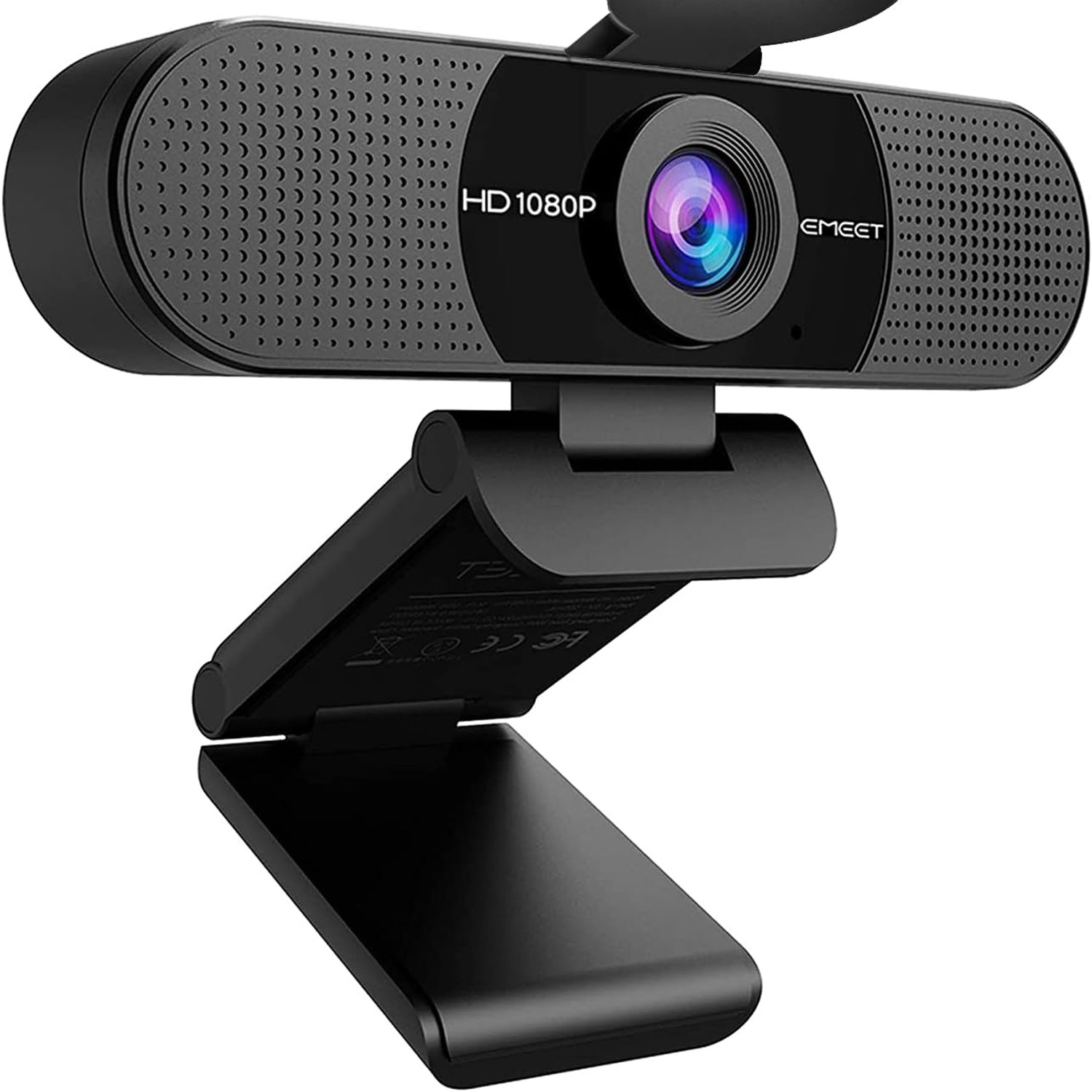
eMeet C960 1080p Webcam with Dual Noise-Cancelling Microphones

€67.99
  • Full HD 1080p
  • Dual Mics
  • Privacy Cover
  • Plug And Play

Price: €67.99

  • Free tracked delivery across Ireland on orders €120+, otherwise a flat €15
  • Pay by card or PayPal, handled by the payment provider
  • 14 days to change your mind, plus your statutory rights
Product specifications
Model NameC960
Model Number960
Video Resolution1080p (Full HD)
Sensor TypeCMOS
Lens TypeWide angle
Viewing Angle90 degrees
MicrophonesDual noise-cancelling
ConnectivityUSB
Video Capture FormatAVI
Special FeaturesDual noise-cancelling microphones, auto low-light correction, privacy cover, tripod holder
Compatible DevicesWindows 7/10/11, macOS 10.10 and above, Linux, Android TV 7.0 or later
Image StabilisationNo
Water ResistanceNot water resistant
Batteries IncludedNo
ColourBlack
Item Weight0.16 kg
Item Dimensions (D x W x H)12.4 x 6.7 x 5.2 cm
Screen Size1.97 inches
Weight0.16 kg
Shipping & returns

Tracked delivery anywhere in Ireland. It is free on orders of €120 or more, and a flat €15 below that.

Under the Consumer Rights Act 2022 you have 14 days from delivery to cancel for any reason, and a further 14 days to send it back in resaleable condition. We refund the price you paid, including standard delivery. You cover the cost of returning it unless the item is faulty.

If it arrives faulty, damaged or not as described, we put it right at no cost to you under the Consumer Rights Act 2022 and the EU Sale of Goods Directive 2019/771, return postage included.

Shipping details · Refunds and returns

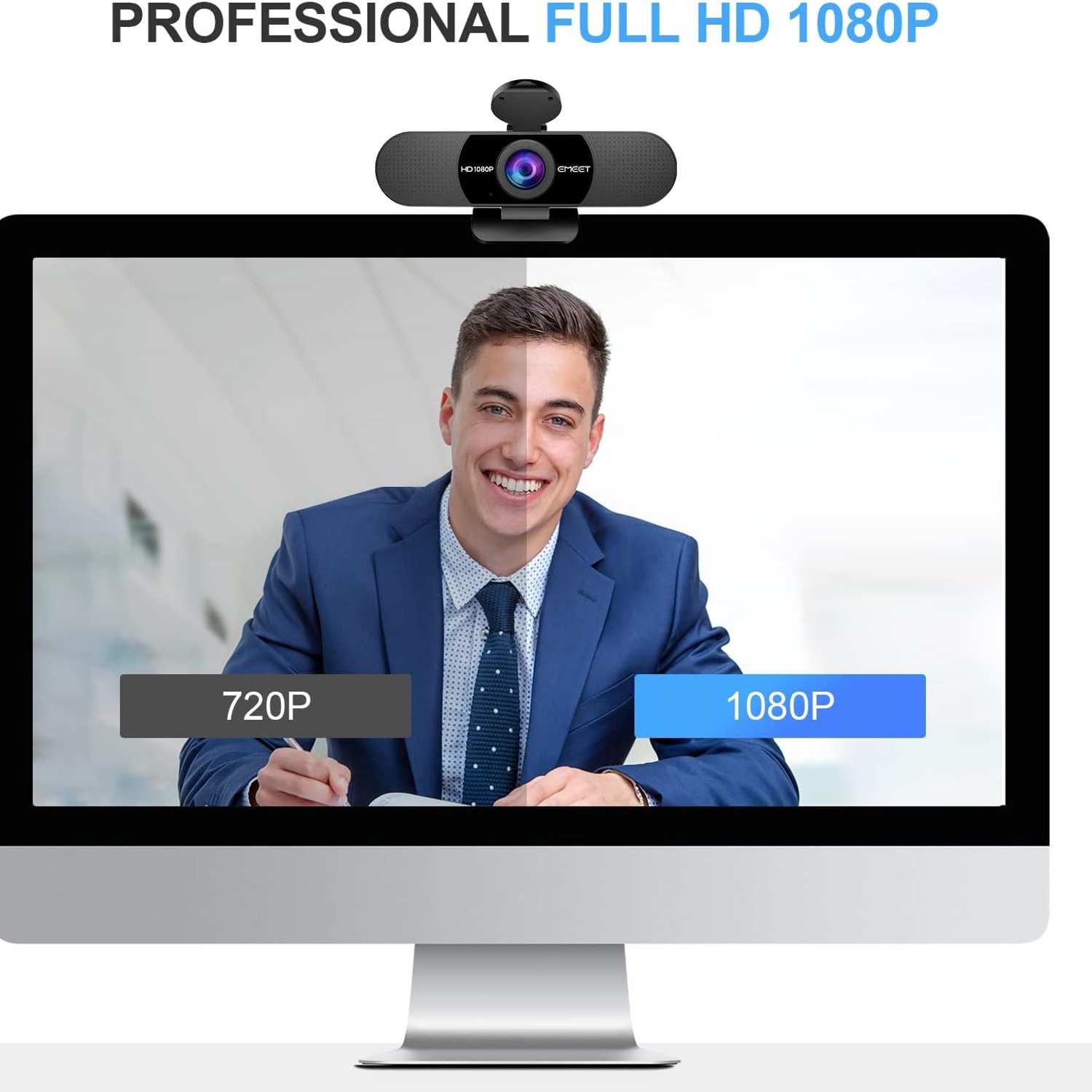
Full HD 1080p1920 x 1080 video so your face reads clearly on big screens.
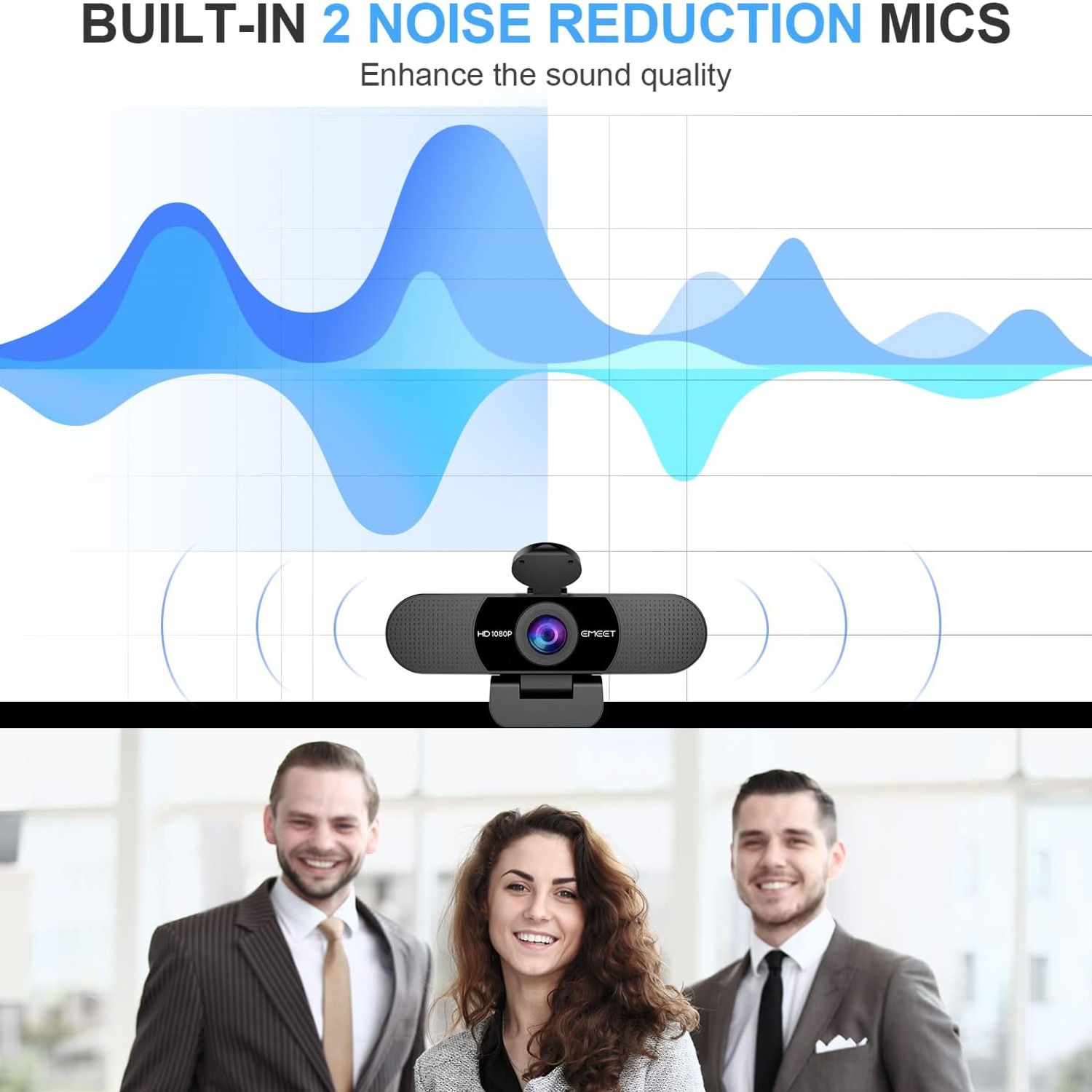
Dual MicsTwo noise-reducing microphones pick up your voice, not the room.
Privacy CoverSlide the cover across when the call ends.
Plug And PlayUSB connection with no driver download needed.

Show up sharp and sound clear on every call with a 1080p webcam with microphone that just works.

Full HD video, two noise-reducing mics, a 90 degree wide-angle lens, automatic low-light correction and a sliding privacy cover, all over a simple plug-and-play USB connection.

Records and streams at 1920 x 1080, so your video stays sharp instead of turning into a block of pixels when someone goes full screen.

Two built-in noise-reducing microphones capture your voice and cut down on background hum, which means no extra headset for most calls.

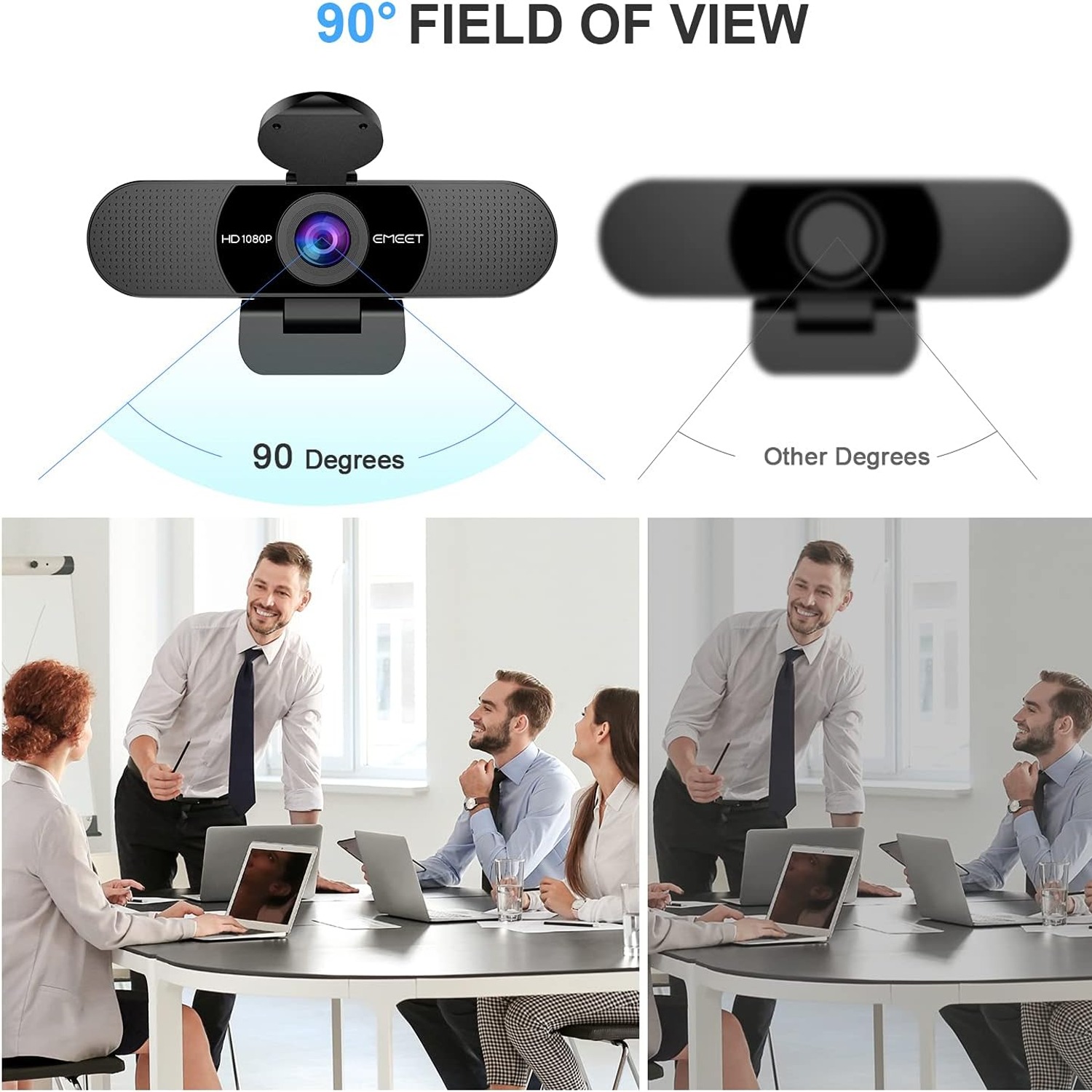
A 90 degree wide-angle lens fits more than one person in frame, handy for shared desks, small meeting rooms and family calls.

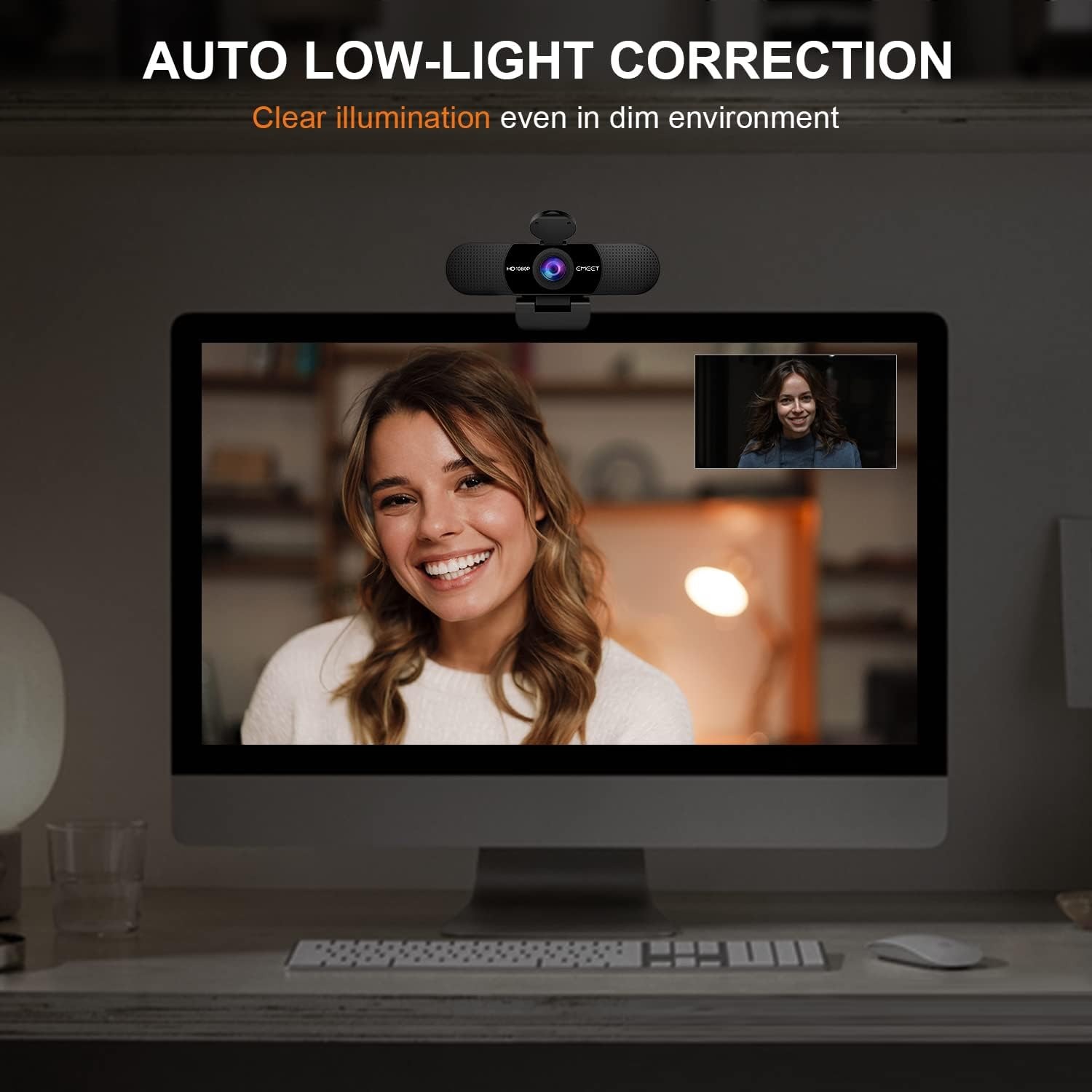
Automatic low-light correction lifts the picture when you are working in a dim room or backlit by a window.

The sliding privacy cover and the USB-only connection give you a simple, physical way to control when the camera can see anything.

eMeet C960 1080p Webcam with Dual Noise-Cancelling Microphones

Most laptop cameras were built to be an afterthought. They sit above the screen, they are tiny, and they were specified years ago to a budget. The result is the soft, grainy, slightly grey picture that everyone on the call quietly tolerates. The eMeet C960 is a separate camera that clips to the top of a monitor or laptop lid and shoots at a true 1920 x 1080. That one change does most of the heavy lifting, because detail in your face is what makes a video call feel like a conversation rather than a broadcast.

eMeet C960 1080p Webcam with Dual Noise-Cancelling Microphones

Audio is the other half of the job, and it is the half people notice first. This webcam has two built-in omnidirectional microphones with noise reduction, so it picks up your voice from a normal seated distance and plays down the steady background noise behind it. For a home office, a classroom desk or a small huddle room, that is usually enough to retire the headset. If you do use it as your mic, remember to select the camera as the default audio input in your meeting software, since some apps will otherwise stick with the built-in laptop mic.

eMeet C960 1080p Webcam with Dual Noise-Cancelling Microphones

The lens is wide angle with a 90 degree field of view. That is a sensible middle ground. It is wide enough to seat two or three people side by side without anyone leaning in, but not so wide that it stretches faces at the edges or turns your whole kitchen into the backdrop. The base and head both move, so you can tilt the camera down at a desk or up at a standing speaker, and it folds flat when you want to drop it in a bag. There is a tripod holder if you would rather mount it on a stand.

eMeet C960 1080p Webcam with Dual Noise-Cancelling Microphones

Lighting is where cheap cameras really fall apart. Auto low-light correction lifts the exposure when the room is dim, and the camera adjusts for harsh light too, which matters if you sit with a bright window behind you. It will not perform miracles in a pitch-black room, but it saves you from having to close the blinds every time a meeting starts. The lens itself is a five-layer anti-glare design, which helps keep reflections and haze out of the picture.

eMeet C960 1080p Webcam with Dual Noise-Cancelling Microphones

Setup is deliberately boring. Plug the USB cable into a free port and the computer recognises it. There are no drivers to download, no account to create and no app running in the background. It works with Windows 7, 10 and 11, macOS 10.10 and later, Linux and Android TV 7.0 or later, and with the usual meeting and streaming software. When you are finished, slide the privacy cover across the lens. A wired USB camera with a physical shutter is about as simple as camera privacy gets.

Not sure yet? That is fine.

A camera has to suit the job you bought it for, and you cannot always judge that from a photograph. Under the Consumer Rights Act 2022 you have 14 days from delivery to cancel for any reason, and a further 14 days to send it back in resaleable condition. We refund the price you paid, including standard delivery.

If it turns up faulty, damaged or not as described, that is on us. The Consumer Rights Act 2022 and the EU Sale of Goods Directive 2019/771 covers you, and we pay the return postage. Read the full detail on our refunds and returns page, or ask us anything before you order.

Frequently Asked Questions

What exactly is this product?

It is a standalone USB webcam, the eMeet C960, that clips onto a monitor or laptop and replaces the built-in camera. It records at 1080p and has two microphones built in. You connect it with the attached USB cable.

How does it connect to my computer?

Over a standard USB cable. There is no Bluetooth or Wi-Fi involved, which is part of the appeal for anyone cautious about wireless cameras. Plug it in and the computer picks it up.

Do I need to install drivers or software?

No. It is plug and play, so the operating system handles it with its own generic camera and audio drivers. You just select it as your camera in whatever app you are using.

What video resolution does it record at?

Full HD, 1920 x 1080. That is a large step up from the 720p sensor fitted to many laptops. The listed video capture format is AVI.

Does it have a microphone, or do I need a headset?

It has two built-in noise-reducing omnidirectional microphones. For most desk use that removes the need for a separate headset. If you want the webcam to handle audio, set it as the default microphone in your meeting software.

How wide is the field of view?

90 degrees. It is a wide-angle lens, so it comfortably fits two or three people seated side by side at a desk. It is not so wide that it distorts faces at the edges of the frame.

Will it work on a Mac?

Yes. The compatibility list covers macOS 10.10 and above, so it suits a wide range of iMacs and MacBooks. It shows up as a camera and mic option in the system settings and in apps.

Is it compatible with Windows?

Yes, Windows 7, 10 and 11 are listed. It appears as a normal USB camera device. Nothing needs to be downloaded first.

Can I use it with Linux or an Android TV?

Linux and Android TV 7.0 or later are both listed as compatible. Behaviour on Linux depends on your distribution's generic UVC support. Android TV use is handy for lounge-room video calls.

Which meeting apps does it work with?

Because it presents itself as a standard USB camera, it works with the usual video conferencing and streaming software. You pick it from the camera dropdown in the app's settings. The maker does not list specific app certifications.

Is this a good streaming webcam?

It gives you 1080p video, a wide lens and automatic exposure help, which covers the basics for a talking-head stream. Serious streamers often add separate lighting and a dedicated mic. For casual streaming and online teaching it is a sensible pick.

Does it have autofocus?

It uses a fixed focal length rather than continuous autofocus. The supplier describes a clear range of roughly 30 cm to 300 cm, which covers normal seated desk distance. Sitting far closer than that will soften the image.

What is the privacy cover for?

It is a small sliding shutter that physically blocks the lens. When it is closed, nothing can be captured, regardless of software. It is the simplest form of webcam privacy there is.

Does it handle poor lighting?

It has automatic low-light correction, along with colour and exposure adjustment, so it lifts the picture in dim rooms and copes better with backlight from a window. It is not a night-vision camera, so some light in the room still helps.

Does it have image stabilisation?

No. Image stabilisation is listed as not included. That is normal for a desk-mounted camera, since it is not being carried around while filming.

How big and heavy is it?

It measures 12.4 x 6.7 x 5.2 cm and weighs 0.16 kg. It is light enough to live in a laptop bag without being noticed. The base folds flat for travel.

How does it attach to my screen?

It uses a folding clip base that sits over the top edge of a monitor or laptop lid. The base and head both pivot, so you can aim it up or down. There is also a tripod holder if you prefer a stand.

Can I mount it on a tripod?

Yes, it includes a tripod holder. That is useful if your monitor has an unusual bezel or if you want the camera at a different height than your screen. A standard small desk tripod works well.

Will it sit properly on a thin laptop lid?

The folding clip is designed for laptop lids and monitors alike. On very thin or very thick bezels you may want to tilt the head slightly to level the frame. The tripod option is the backup if the clip is awkward.

Is it powered by batteries?

No, there are no batteries. It draws power from the USB port on your computer. That also means it is ready the moment you plug it in.

Is it a good webcam for video calls with family?

Yes. The wide 90 degree lens means more than one person fits in shot, and the twin mics pick up voices from across a desk. It is one of the easier ways to improve a family call without extra gear.

Can several people use it in a small meeting room?

It suits a small huddle space or a shared desk where people sit within a metre or two. For a large boardroom you would want a camera designed for that distance. Within its range, the noise-reducing mics help keep voices clear.

How do I clean it?

Use a dry microfibre cloth on the lens, the same way you would clean glasses. Do not spray cleaner directly on it and keep liquid away from the mic openings. It is not water resistant.

Does it need any maintenance?

Not really. Keep the lens clean, keep the cable from kinking at the plug, and store it somewhere dry. Closing the privacy cover when it is not in use also keeps dust off the glass.

My computer is using the wrong microphone, what do I do?

Open the audio settings in your meeting app or operating system and select the eMeet C960 as the input device. Many apps default to the built-in laptop mic and will not switch on their own. It takes about ten seconds to change.

Why does the picture look dark in my office?

Usually the light source is behind you. Try turning the desk so the window or lamp is in front of you, and give the automatic correction a moment to settle. A small, soft lamp beside the screen makes a big difference.

Does it come with a cable long enough to reach my desktop tower?

The webcam has an attached USB cable intended to reach a typical tower under a desk. If your setup is unusually far away, a quality powered USB extension is the usual fix. Avoid cheap unpowered extensions, which can cause dropouts.

What about delivery and returns?

Delivery times and the returns window are shown at checkout and on our shipping and returns pages for your country. Keep the original packaging until you have tested the camera on your own computer. That makes any return straightforward.

Would this make a reasonable gift?

It is a practical gift for anyone working from home, studying online or running classes and calls. It is small, light and easy to post, and it does not require the recipient to be technical. The box presents well without extra wrapping.

What if it turns out not to be right for me?

Test it on your actual setup within the returns window. If the field of view, the audio or the mounting does not suit you, contact our support team with your order number and we will walk you through the return or exchange options available in your country.

How to Choose a 1080p Webcam with Microphone for Work, Study and Streaming

6 min read Camera Company

The problem with the camera you already have

Almost every laptop has a camera. Almost none of them are good. The sensor is tiny, it sits behind a thin plastic window, and it was chosen to be cheap and flat rather than to make you look like a person. You see the result every day: a soft, slightly grey picture that gets worse the moment the room light drops or someone pins you to full screen.

Audio usually follows the same pattern. The laptop's mic sits near the hinge, close to the fan, and it hears keyboard clatter as clearly as it hears you. So people reach for a headset, which solves the sound but adds a thing to charge, a thing to lose and a thing on your head all day.

A separate USB webcam fixes both problems at once, and it does it without changing how you work. You plug it in, choose it in the app, and everything else stays the same.

What 1080p actually buys you

The jump from 720p to 1080p is not a marketing number. It is roughly twice the pixels, and those pixels land exactly where they matter, on your face. In practice it means your expressions read properly, text on a whiteboard behind you stays legible, and the image does not fall apart when the meeting software scales you up to fill a screen.

It also gives the software room to work. Video calls compress hard when bandwidth gets tight. Starting from a sharper source means the compressed version still looks decent. Starting from a soft 720p source means the compressed version looks like a weather map.

The eMeet C960 shoots at a true 1920 x 1080 through a five-layer anti-glare lens. The anti-glare part sounds like fluff until you sit next to a window and notice that the picture is not washed out with haze.

Why two microphones matter more than you think

A single mic picks up one stream of sound and has to guess what is you and what is noise. Two omnidirectional mics with noise reduction can compare what they hear and favour the voice in front of them. The practical effect is that you can sit at a normal desk distance, talk at a normal volume, and be heard without leaning toward the screen.

This is what lets most people drop the headset. For a home office, an online class, a one-to-one catch-up or a small huddle room, built-in mics on a good webcam are genuinely enough. If you are recording a podcast or doing voice work, you will still want a dedicated microphone, because that is a different job.

One small thing trips people up constantly. Plugging in a webcam with mics does not always make your computer switch to them. Open the audio settings in your meeting app and choose the camera as the input. Thirty seconds of setup saves a call's worth of "can you hear me?"

The 90 degree lens and who it suits

Field of view is a trade-off, not a race. Very wide lenses, 110 degrees and up, fit a whole room but bend faces near the edges and show far more of your background than you probably want. Narrow lenses keep you tightly framed but fall apart the moment a second person joins.

Ninety degrees sits in a useful middle. One person sits comfortably with a bit of headroom. Two or three people fit side by side at a desk without a scrum. It is a sensible choice for a shared workspace, a classroom desk, a family call, or a small meeting table.

The head and base both pivot, so you are not stuck with whatever angle the clip gives you. If your desk is low or you work standing, tilt it and move on. The folding design means it packs flat, and the included tripod holder covers the setups where a monitor clip is awkward.

Light is the thing people underestimate

Ask anyone why their video looks bad and they will blame the camera. Nine times out of ten, the real culprit is light. Backlight from a window turns you into a silhouette. A single overhead ceiling light casts shadows down your face. A dim evening room starves the sensor and the picture goes noisy.

Automatic low-light correction helps on all three fronts. The camera lifts the exposure in dim conditions, boosts colour, and adjusts for harsh contrast, which is the bit that saves you when the sun comes around to your window mid-afternoon. You do not have to keep closing the blinds.

That said, a small cheap lamp placed beside your screen and pointed at your face will do more for your image than any feature on any webcam. Let the camera handle the rest.

Privacy without the paranoia

There are two sensible things to look for. The first is a physical cover. A sliding shutter over the lens is absolute, because nothing can be recorded through a piece of plastic regardless of what software is running. Slide it shut when the call ends and the question disappears.

The second is a wired connection. This camera talks to your computer over USB and has no wireless radio of its own. It cannot be reached over the network because it is not on the network. For a lot of people, particularly anyone working with sensitive material, that is a quiet reassurance worth having.

Setup, in practice

Clip it on the top of your screen, run the cable to a free USB port, and open your meeting app. Pick the C960 in the camera list and the microphone list. That is the whole process. No drivers, no account, no companion app sitting in your system tray.

It is listed as working with Windows 7, 10 and 11, macOS 10.10 and later, Linux and Android TV 7.0 or later. The Android TV support is more useful than it sounds if anyone in your family makes video calls from the lounge.

A note on cables. If your desktop tower lives on the floor a long way from your monitor, use a good powered USB extension rather than the cheapest one you can find. Unpowered extensions are the most common cause of a camera dropping out mid-call.

Keeping it working

There is almost nothing to maintain. Wipe the lens with a dry microfibre cloth when it gets dusty, the same way you clean glasses. Skip the sprays and the alcohol wipes near the microphone openings, and keep in mind that the unit is not water resistant.

Treat the cable kindly. Coil it loosely instead of wrapping it tight around the body, and do not let it bend sharply where it meets the plug. Cables fail at the strain point long before cameras fail. Closing the privacy cover between uses also keeps dust off the glass, which is a small habit with a visible payoff.

The short version

If you spend real hours on calls, a separate USB webcam is one of the cheapest upgrades you can make to your working day. The eMeet C960 covers the fundamentals: Full HD 1080p video, two noise-reducing mics so you can skip the headset, a 90 degree lens that fits more than one face, automatic correction for awkward lighting, and a sliding cover for when you are done.

It weighs 160 grams, folds flat, clips to a laptop or monitor, and works the second you plug it in. No drivers, no app, no wireless. For home offices, online teaching, small meeting rooms and everyday streaming, that combination is hard to beat at the price.

Browse the shop

Ready to stop apologising for your camera?

Add the eMeet C960 to your cart and have a sharper picture and clearer voice on your next call.

Ask us a question

Page summary

The eMeet C960 is a USB webcam that records Full HD 1080p video using a CMOS sensor and a 90 degree wide-angle, five-layer anti-glare lens. It has two built-in noise-reducing omnidirectional microphones, automatic low-light correction and a sliding privacy cover, plus a foldable base and a tripod holder. Connection is plug and play over USB with no drivers required, and it is listed as compatible with Windows 7/10/11, macOS 10.10 and above, Linux and Android TV 7.0 or later. Video capture format is AVI. The unit weighs 0.16 kg and measures 12.4 x 6.7 x 5.2 cm, colour black. It has no image stabilisation and is not water resistant. Country of origin, material and warranty are not specified by the maker.