
The complete guide
How to Choose a Solar Security Camera with 24/7 Recording
The problem with cameras that only wake up
Most people buy an outdoor camera, install it, and feel fine until the first time they actually need the footage. Then they discover the limits. The camera recorded a six second clip that begins with someone already halfway up the drive. The seconds before, when the person walked past the hedge and had a look around, are gone. So is the minute afterwards when they walked back to a car parked down the street.
This happens because standard battery and solar cameras sleep to save power. They only record when a sensor triggers, and sensors have a delay. By the time the camera is awake and writing to the card, the useful part has often passed.
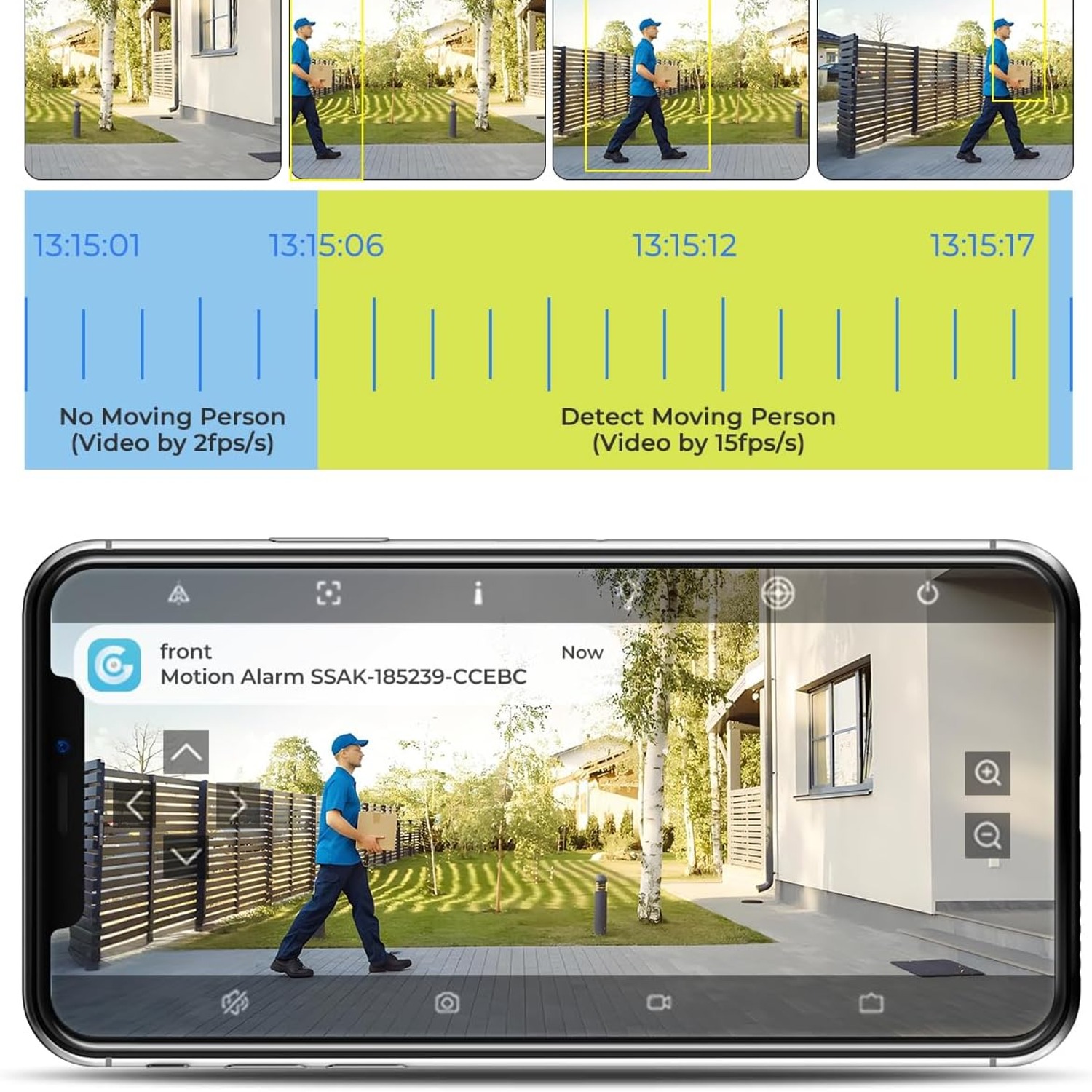
A solar security camera with 24/7 recording fixes this in a simple way. It never fully stops. In standby it ticks over at about 1 frame per second, which is enough to build a complete visual record of the day without burning through storage or battery. When a person is detected it jumps to 15 frames per second for smooth, detailed footage. You get both the context and the close detail, and the timeline has no holes in it.
How this camera works
Three things make this unit different from a basic wireless camera.
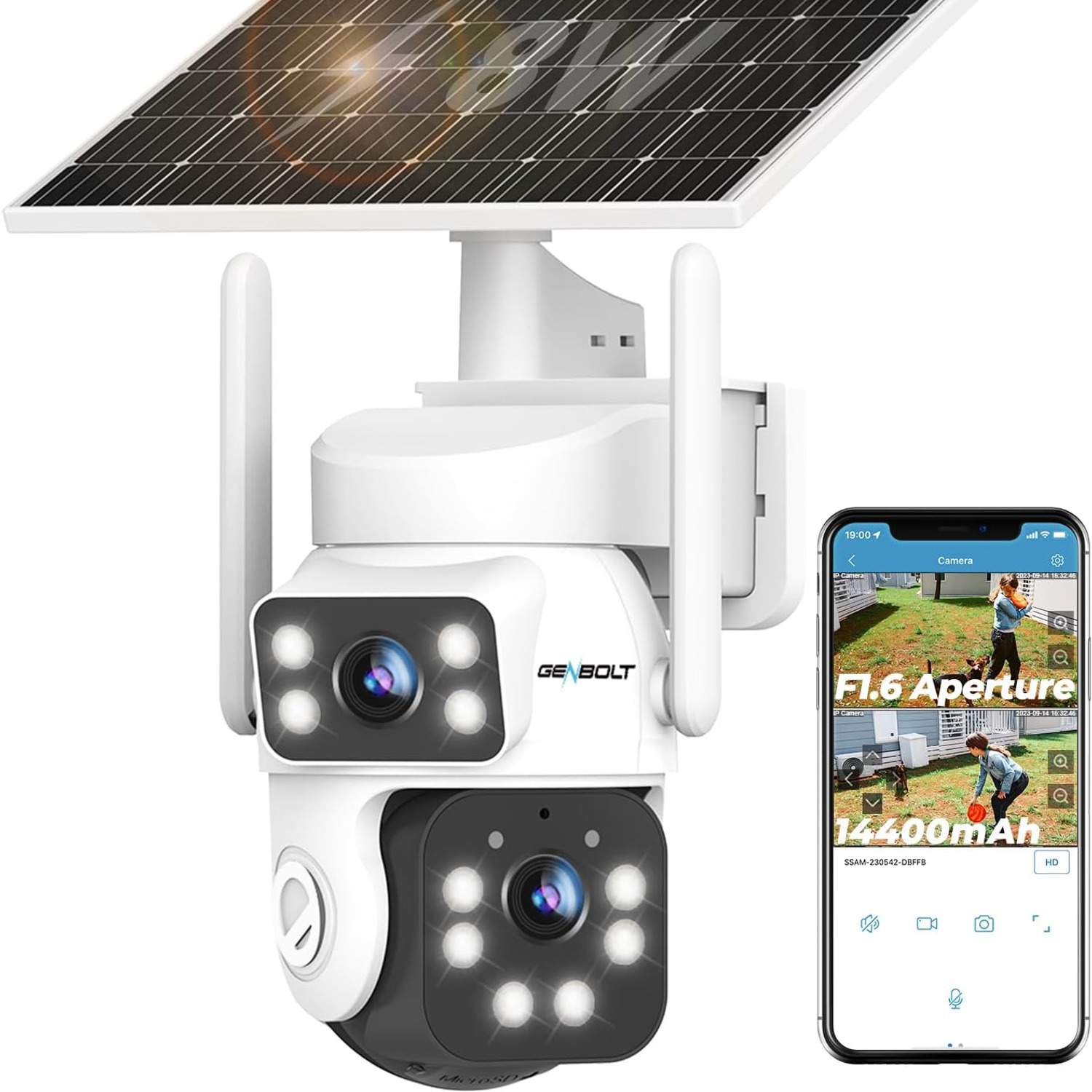
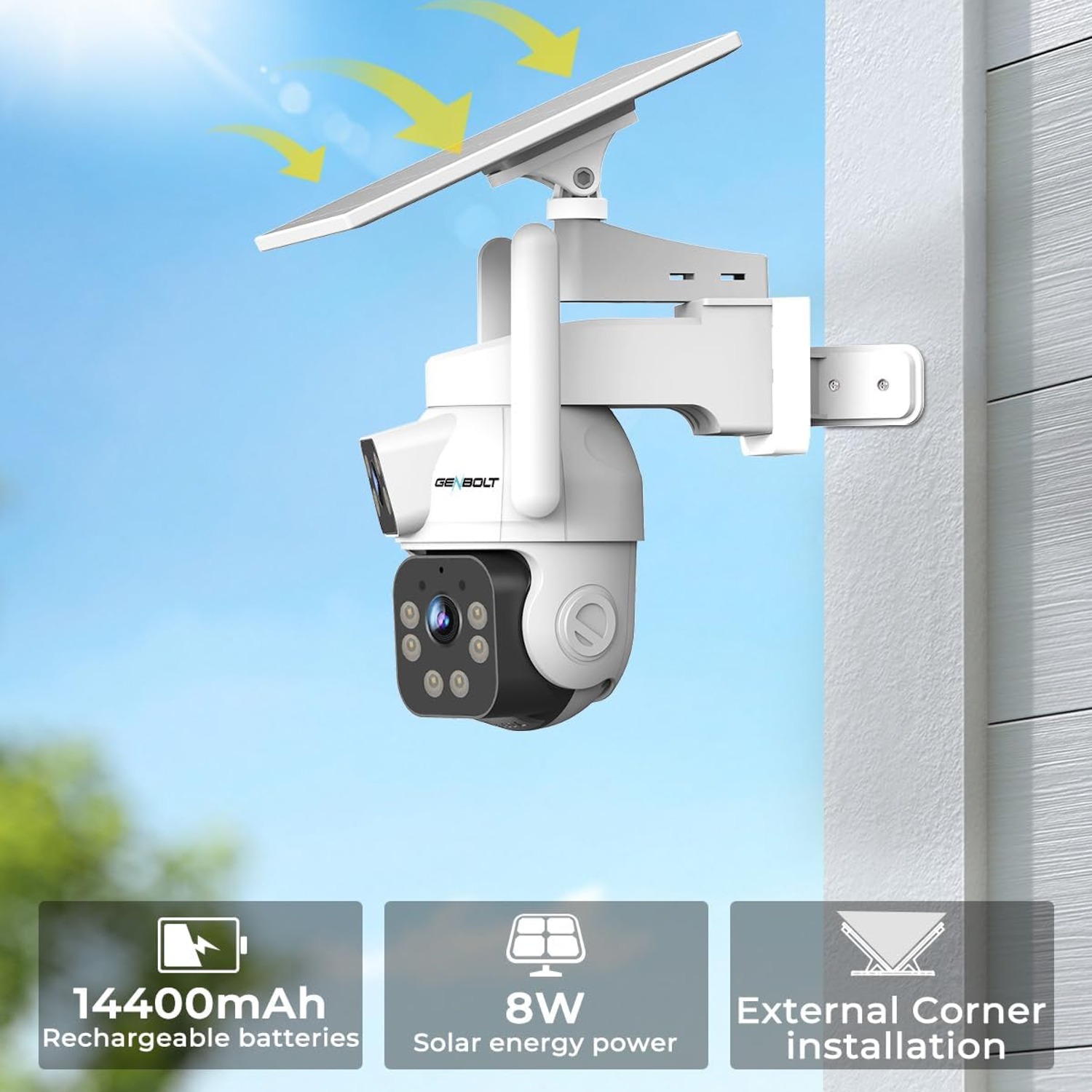
The first is power. The solar panel charges the camera through daylight hours, so there is no mains cable, no trench across the lawn and no electrician call-out. Mount it, point the panel at the sky, and it looks after itself.
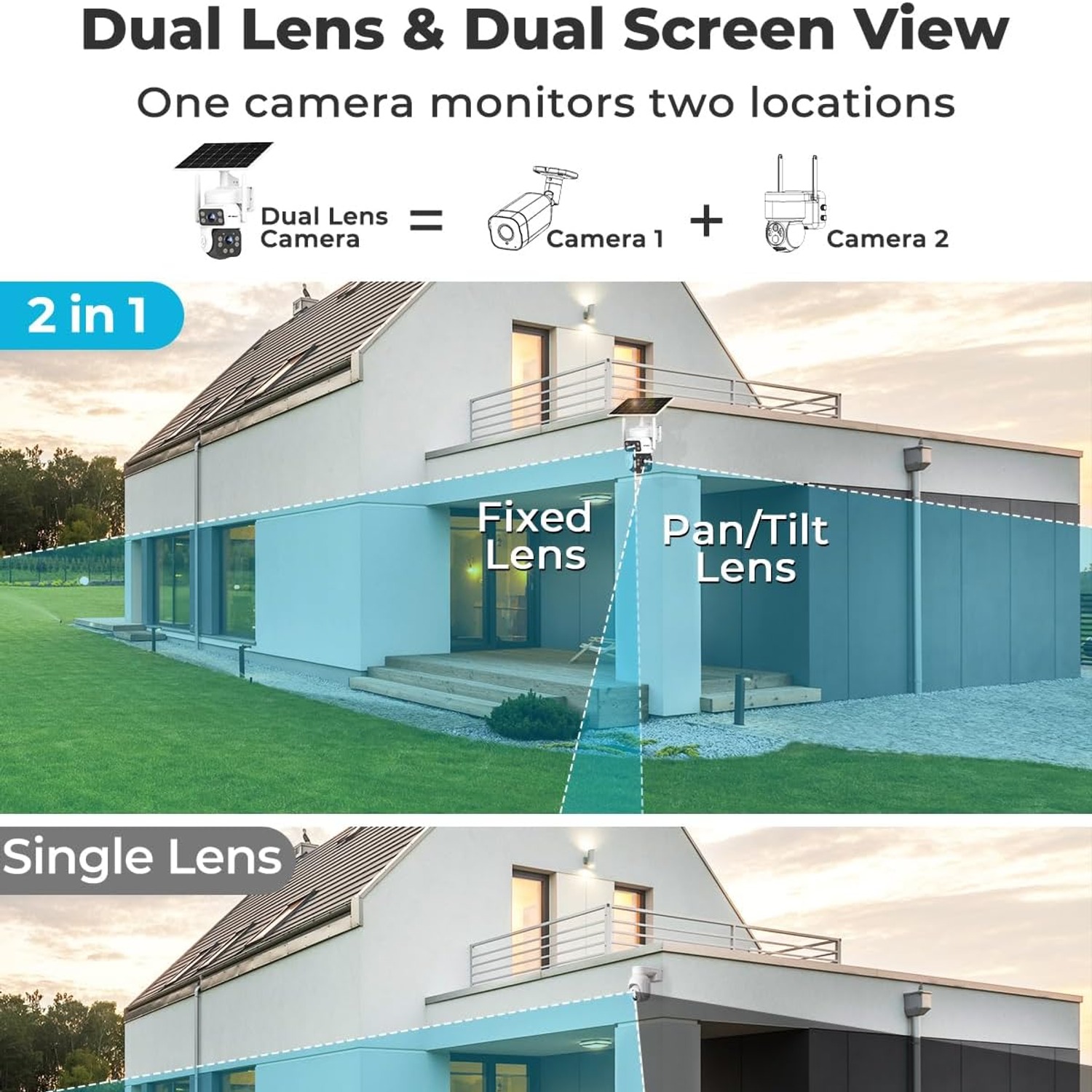
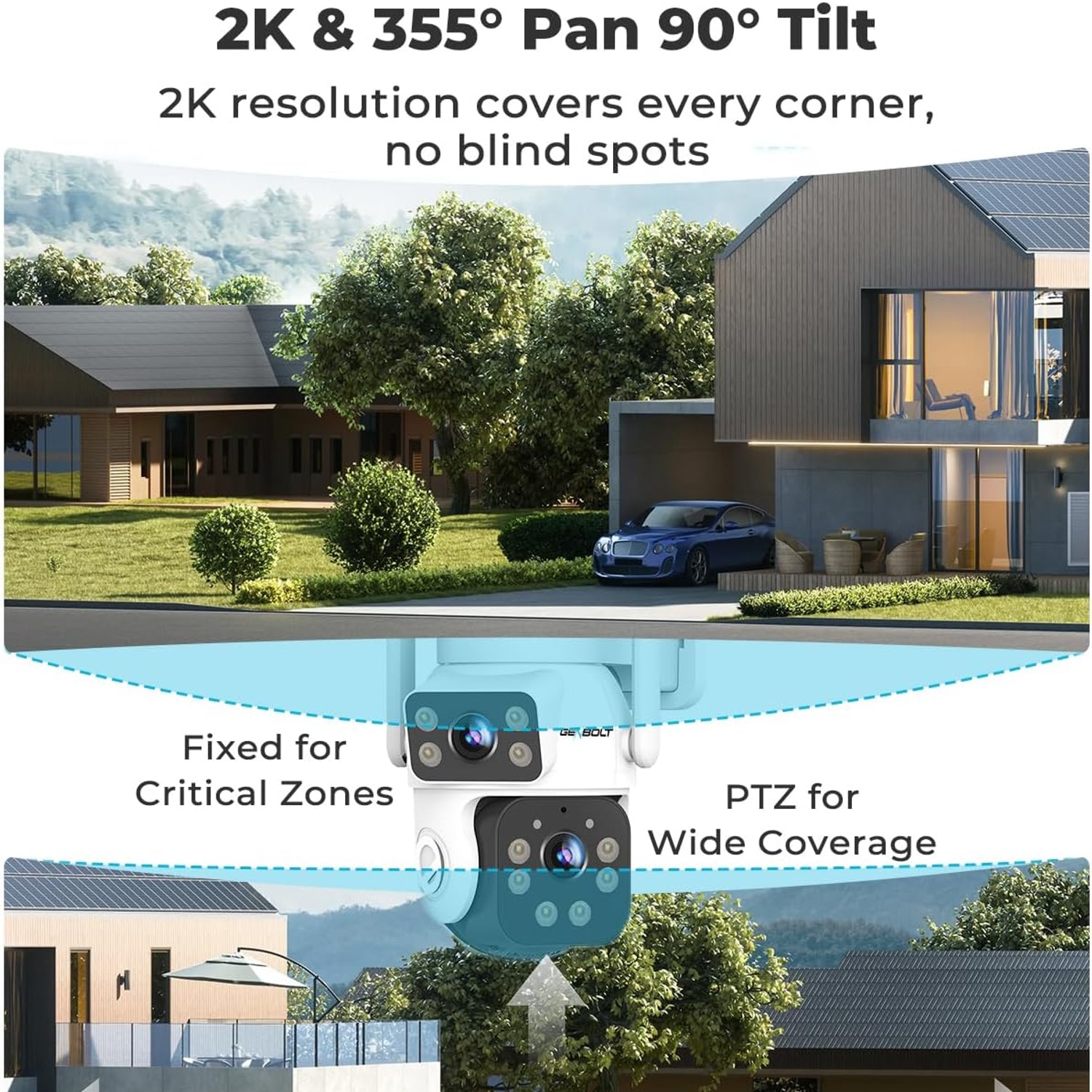
The second is the dual lens design. One lens is fixed with a wide view, the other is a PTZ lens that pans 355 degrees and tilts 90 degrees. Both feeds show together on one screen. In practice this means one camera can watch your driveway and your side gate at the same time, or hold a wide view while you swing the second lens around to check something specific.
The third is how it sees at night. Instead of switching to grey infrared, it records 2K colour night vision at 1440p from a 3MP sensor. If you have ever tried to describe someone from infrared footage, you know how little it gives you. Colour tells you the jacket was red, the car was silver, the van had writing on the side.
Add 4x digital zoom, two-way audio, 2.4GHz and 5GHz Wi-Fi, IP66 weatherproofing and local recording to a microSD card up to 128GB, and you have a fairly complete package without a subscription attached to it.
Who it suits
This camera makes the most sense in places where power is awkward. Long driveways, farm gates, sheds at the bottom of a garden, carports, side passages between houses, caravan or boat storage, worksite containers. Anywhere you have thought "I would put a camera there if I could get power to it."
It also suits people who want fewer devices. Because of the two lenses, a single unit on a well chosen corner can replace two fixed cameras. That means one app entry, one card to manage and one thing to clean.
It suits anyone who wants local storage. Everything records to the microSD card in the camera. There is no monthly fee for keeping your own footage, which over a few years is a real saving.
Where it is less ideal: a site with no meaningful daylight at all, such as a fully covered underground car park or a north-facing wall permanently shaded by a tall building. Solar needs light. It also relies on your Wi-Fi reaching the mounting point, so a far corner of a large block may need an extender first.
How to choose the right position
Mounting position changes the value of a camera more than any spec on the box.
Height is the first decision. Around 2.5 to 3 metres is a good general range. High enough that nobody can reach it casually, low enough that faces are still recognisable rather than a view of the tops of heads. Going too high is the most common mistake.
Angle comes next. Point it slightly downward along the path people actually walk, not straight out at the horizon. You want people moving through the frame toward or across the camera, not appearing as a dot at the far edge. With a stated detection range of around 90 feet, there is room to cover a long approach if you aim it down the line of travel.
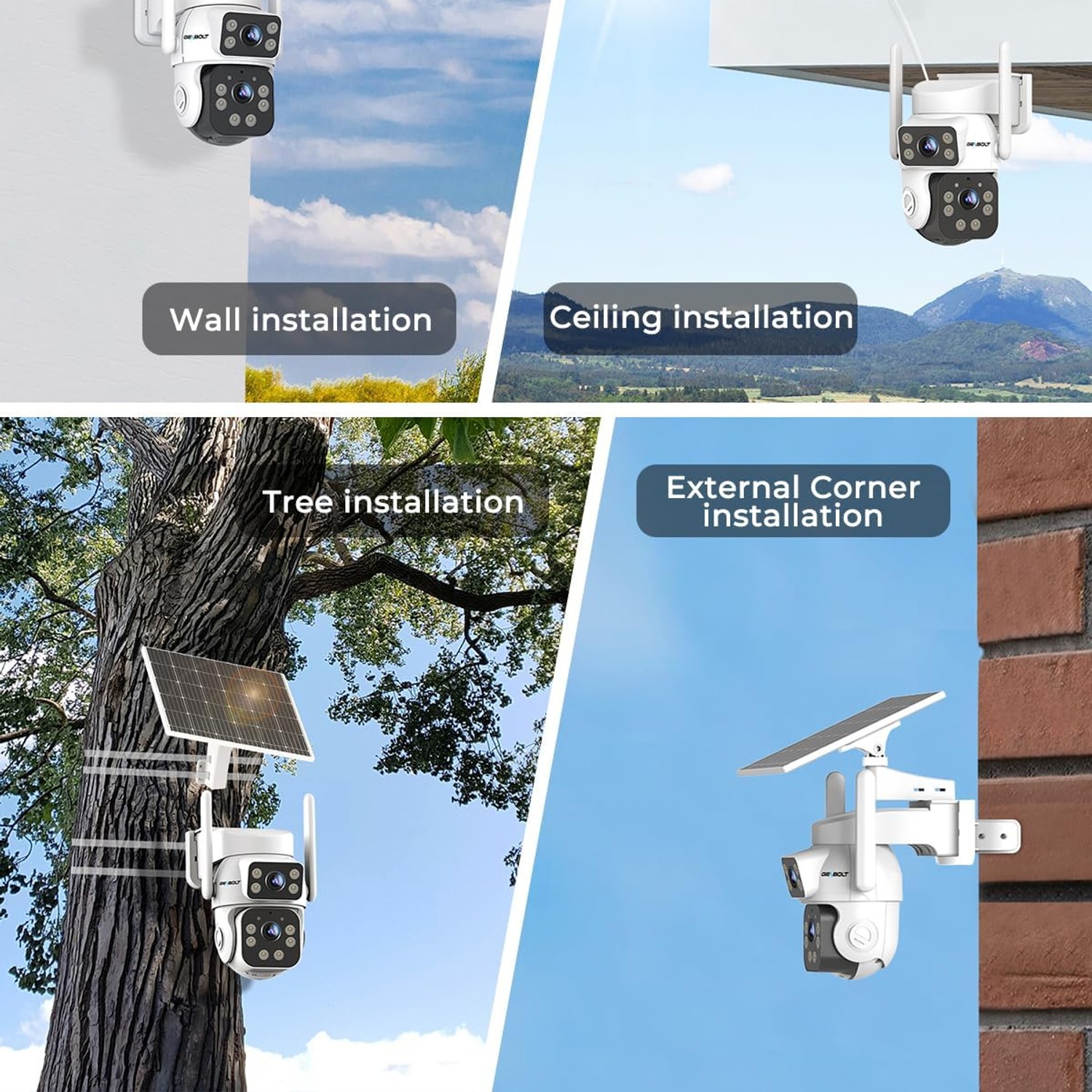
Corner mounting is worth serious thought. The camera supports external corner installation, and fitting it to a building corner widens what it can see while cutting the dead zone that sits right beneath a flat wall mount. On a square house, two well-placed corners can cover most of the perimeter.
Then there is the panel. Make sure it gets open sky for a good part of the day and that no branch will grow across it in spring. A panel in partial shade still works, it just charges more slowly, so give yourself margin by choosing the brighter of two otherwise equal spots.
Finally, check your Wi-Fi at the exact mounting point before you drill. Stand there with your phone and see what signal you get. If it is weak, 2.4GHz will usually reach further than 5GHz, and a cheap extender solves most problems.
Setting up storage sensibly
Continuous recording writes to the card all day, so the card matters. Use a good quality microSD card rated for surveillance or high-endurance video use rather than the cheapest one you can find. Standard cards are built for occasional photo writes, not constant video, and they wear out faster.
The camera supports up to 128GB. The low standby frame rate is specifically designed to make a card like that last across a full day of coverage, with higher frame rate footage only during detections. Most systems overwrite the oldest material once the card fills, so you keep a rolling window rather than running out.
Check the card every few months. Pull it, view a few files on a computer, and reformat it in the camera if you want a clean start. Cards do degrade eventually, and finding out when you need footage is the worst time to learn it.
Looking after it
Outdoor gear needs a little attention, not a lot.
Wipe the lens covers and the solar panel with a soft damp cloth every few weeks. Dust, pollen, salt spray near the coast and bird mess all dim the picture and slow charging. This one small habit does more for performance than any setting change.
Keep foliage trimmed back from the panel and the lens view. A branch that was clear in March can block half the panel by July.
Avoid solvents, scouring pads and pressure washers. The housing is plastic with an IP66 rating, which handles rain and dust well, but a high pressure jet aimed at a seal is a different matter.
Once or twice a year, check the mounting screws are still tight and give the housing a general once-over. In snowy climates, brush the panel clear when you can, since winter daylight is already short.
The short version
If you want outdoor coverage somewhere there is no power, and you are tired of motion clips that start too late and end too soon, this is a sensible answer. Solar removes the wiring problem. Continuous recording at 1 frame per second in standby and 15 frames per second on detection removes the gaps. The dual lens design, with one fixed wide view and one PTZ lens covering 355 degrees of pan and 90 degrees of tilt, means one camera does the work of two in a lot of situations.
Add 2K colour night vision, IP66 weather protection, two-way audio and local recording to a microSD card up to 128GB with no subscription, and the practical case is straightforward. Mount it on a corner, at around 2.5 to 3 metres, aimed down the path people walk, with the panel facing open sky. Clean it now and then. That is most of the job done.