

The complete guide
Choosing a Kids Camera with a Flip Lens: A Parent's Buying Guide
The problem with handing over your phone
Every parent knows the moment. You are at the beach, or a birthday party, or just the back garden, and a small voice asks to take a photo. You hand over a phone worth several hundred euro and then spend the next ten minutes hovering, watching it swing on the end of two small arms.
It never really works. Either the child feels rushed and gives it back, or you spend the evening deleting 400 photos of the carpet. Neither of you gets what you wanted.
A kids camera with flip lens solves this in the most obvious way possible. It gives the child something that is genuinely theirs, costs a fraction of a phone, and is built to be held by hands that are still learning how to grip. The photos might be blurry. The angles might be strange. That is the point. You are not buying a camera to produce gallery prints, you are buying one so a seven-year-old can decide for themselves what is worth remembering.
How the flip lens actually helps
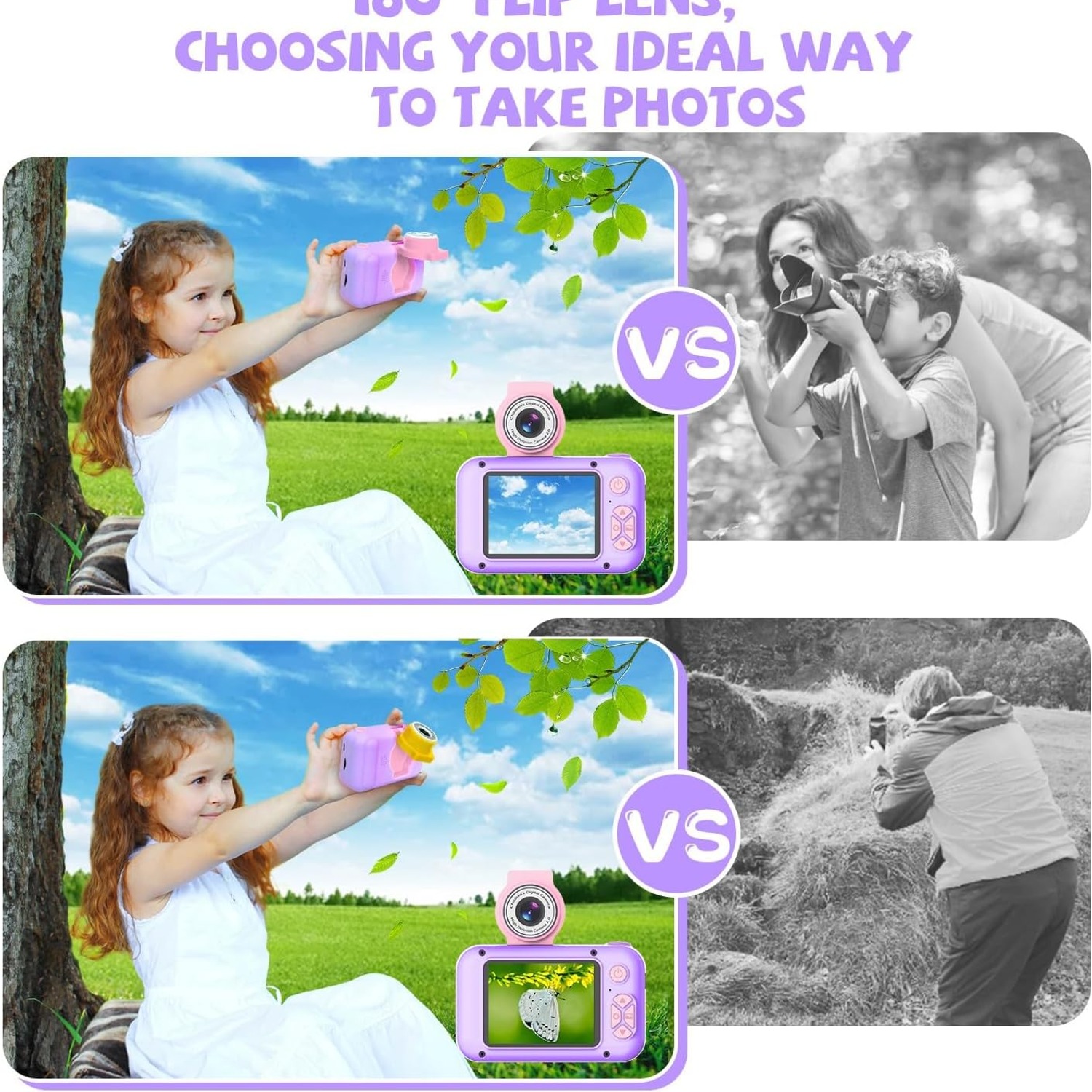
The rotating lens is the feature that separates a decent children's camera from a frustrating one. On this model the lens housing turns through 180 degrees. Point it away and you are shooting whatever is in front. Turn it back toward the child and you have a kids selfie camera, with the screen still facing them so they can see their own face while they frame the shot.
Why this matters: on a phone, swapping to the front camera means finding a small icon and tapping it accurately. Young children often cannot find it, and when they do, half the time they tap something else and end up in a settings menu. A physical twist removes that entire problem. There is no wrong tap. The lens is either facing forward or it is not, and a child can see which just by looking at it.
It also changes how kids use the camera. Children who only have a rear-facing camera photograph objects. Children with a flip lens photograph themselves, their friends, their pets and their own reactions. The photos get more personal, and in a few years those are the ones you will be glad somebody took.
What the specifications mean in plain language
Product listings for children's cameras throw around big numbers. Here is what the figures on this one actually translate to day to day.
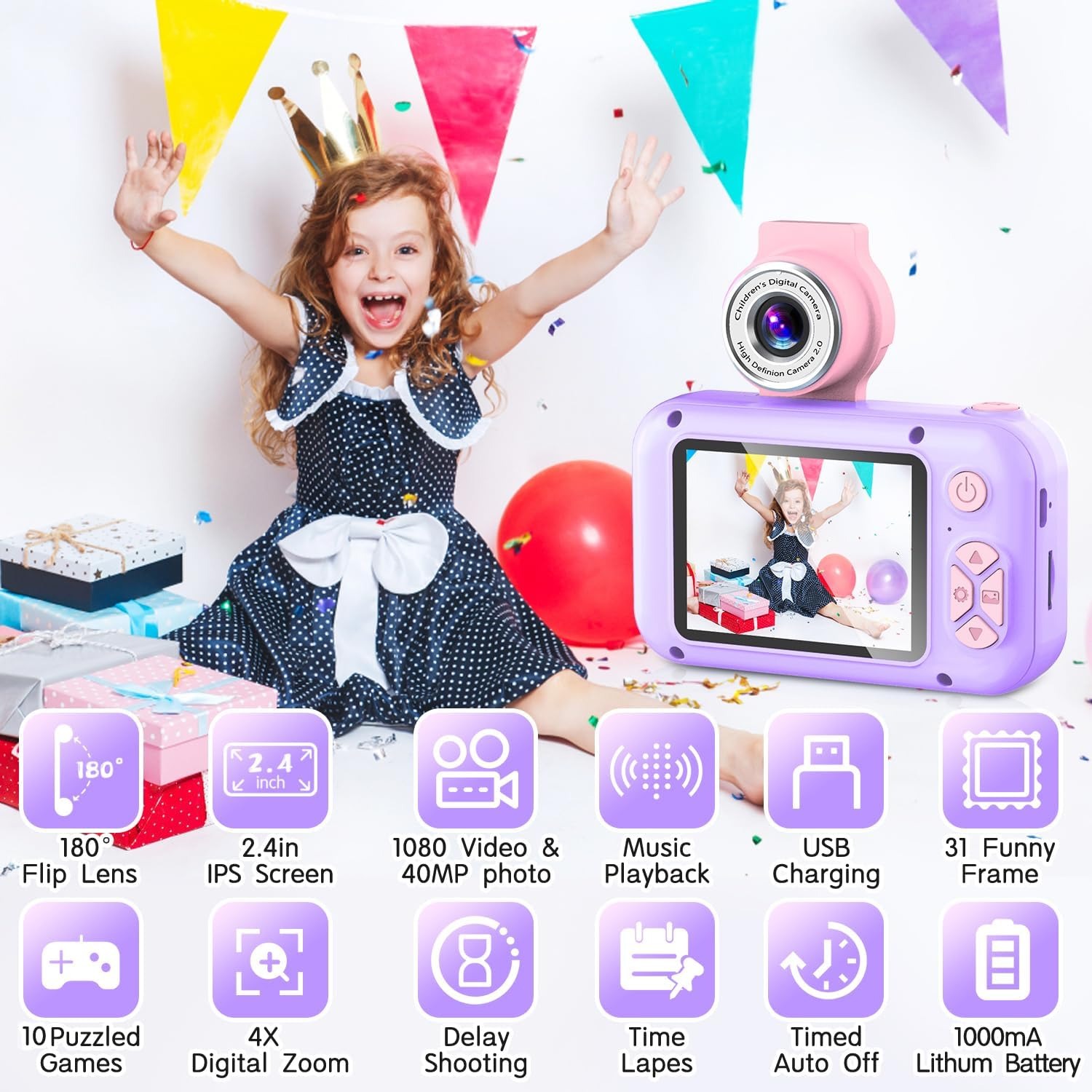
40 MP stills. That is the effective still resolution from a CMOS sensor. In practice it means images with plenty of detail for viewing on a screen, sharing with grandparents, or printing small. Resolution is only one part of image quality, and a children's camera will never match a phone in low light, but there is no shortage of pixels here.
1080p video in MP4. This is the format that matters more than the number. MP4 plays on Windows, Mac, tablets, smart TVs and almost every media player ever made. Plug the camera in with the supplied USB cable, drag the files across, and press play. No converting, no apps, no hunting for a codec. As a children's video camera it is about as low-friction as these things get.
No image stabilisation. The listing is honest about this. Video shot while running will wobble. Still photos taken in a hurry may blur. It is worth telling a child to stop walking and hold still for a second before pressing the button, which is a useful photography habit anyway.
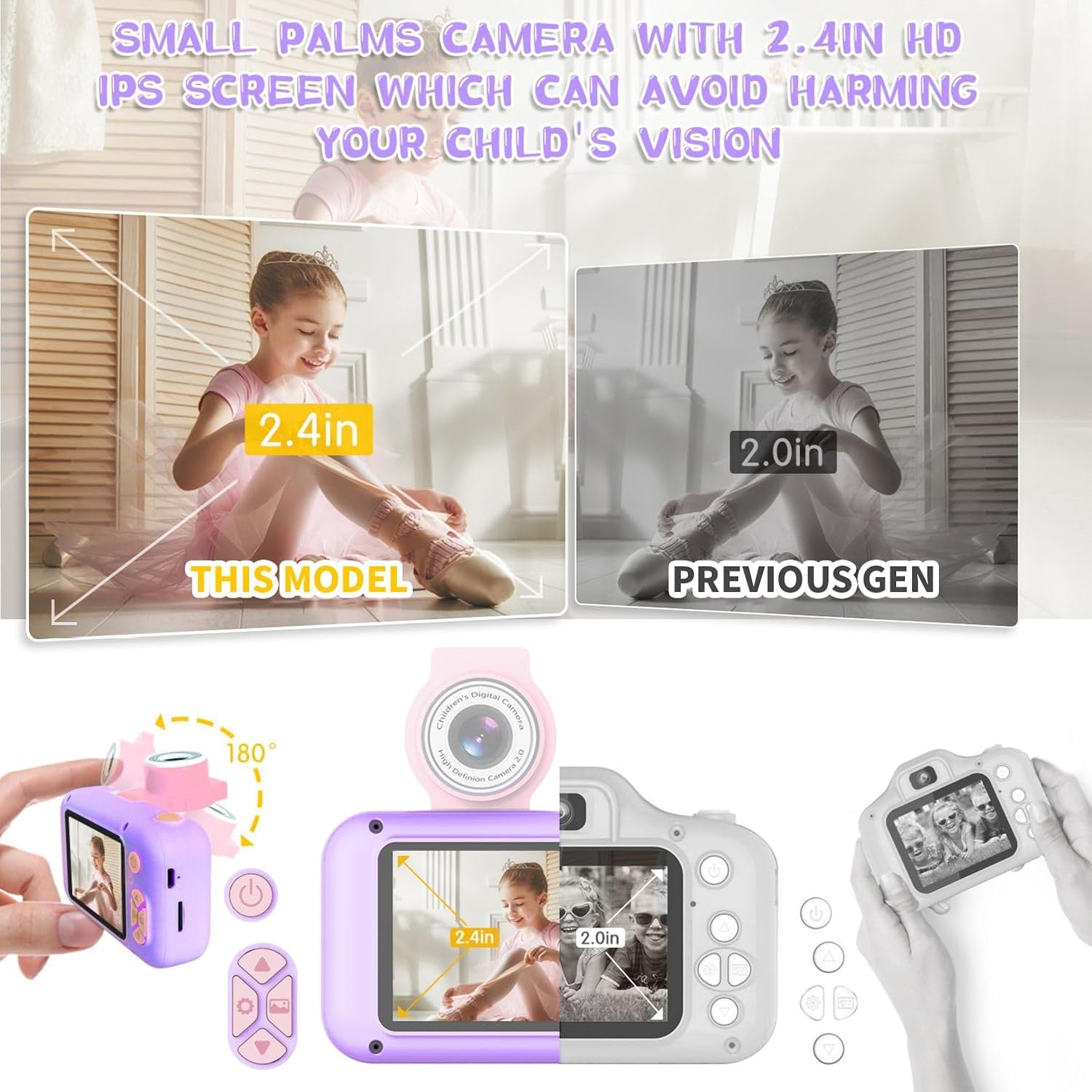
2.4-inch IPS colour screen. IPS panels hold their colour when you look at them from an angle, which matters when two children are crowded around one camera checking a photo. The listed maximum display resolution is 1080 pixels and it is a tilting display fixture.
0.2 kg. Light. A child can wear it on the supplied strap for an afternoon without noticing it.
Time-lapse. Listed as a special feature. It is the kind of thing that turns an afternoon indoors into a small project, filming a plant, a shadow moving across the floor, or a drawing being finished.
Who this suits
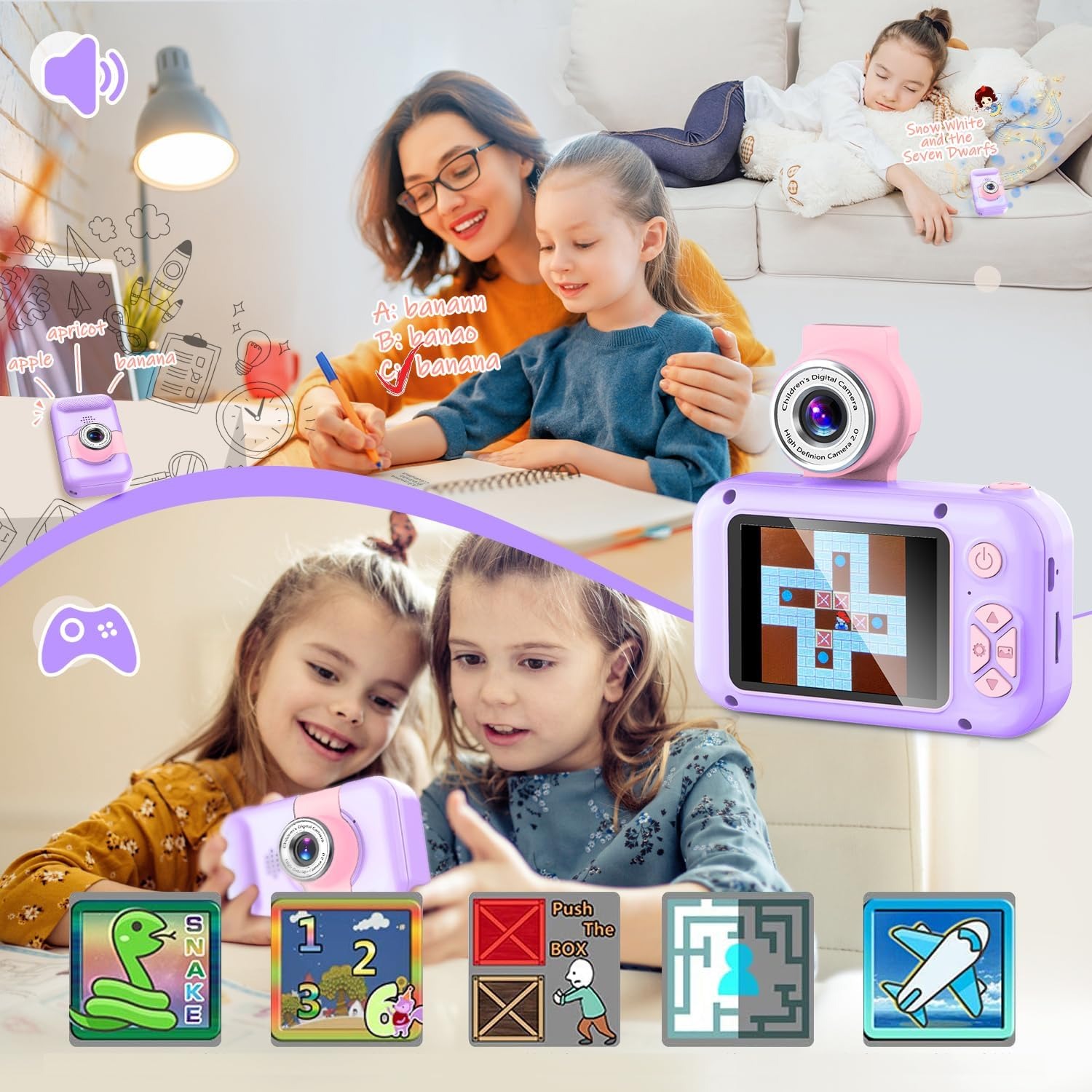
This is squarely a primary school camera. The oversized buttons are designed for small fingers, so a four or five-year-old can press them without an adult pointing at the right spot. At the same time, the games, the 31 frames and the filters give an older child something to tinker with, so it does not get abandoned after a fortnight.
It suits a few situations particularly well. Holidays, where you want your child documenting their own version of the trip. Long car journeys, because the puzzle games and music player work with the camera in a lap and no data connection needed. School holidays at home, when a creative project beats another hour of television. And birthdays, because it arrives boxed and complete with the memory card already fitted, so there is no awkward gap between unwrapping and using.
It is less suited to a child who needs a rugged, drop-proof, waterproof device. No such rating is listed here, so it is a dry-use camera that lives on a strap, not one you throw in a rock pool.
How to choose between kids cameras
A few things are worth comparing when you are looking at the best digital camera for kids in this price bracket.
Start with the screen. Anything smaller than about two inches makes framing a guess, and children lose interest fast when they cannot see what they captured. A 2.4-inch colour screen is a comfortable size.
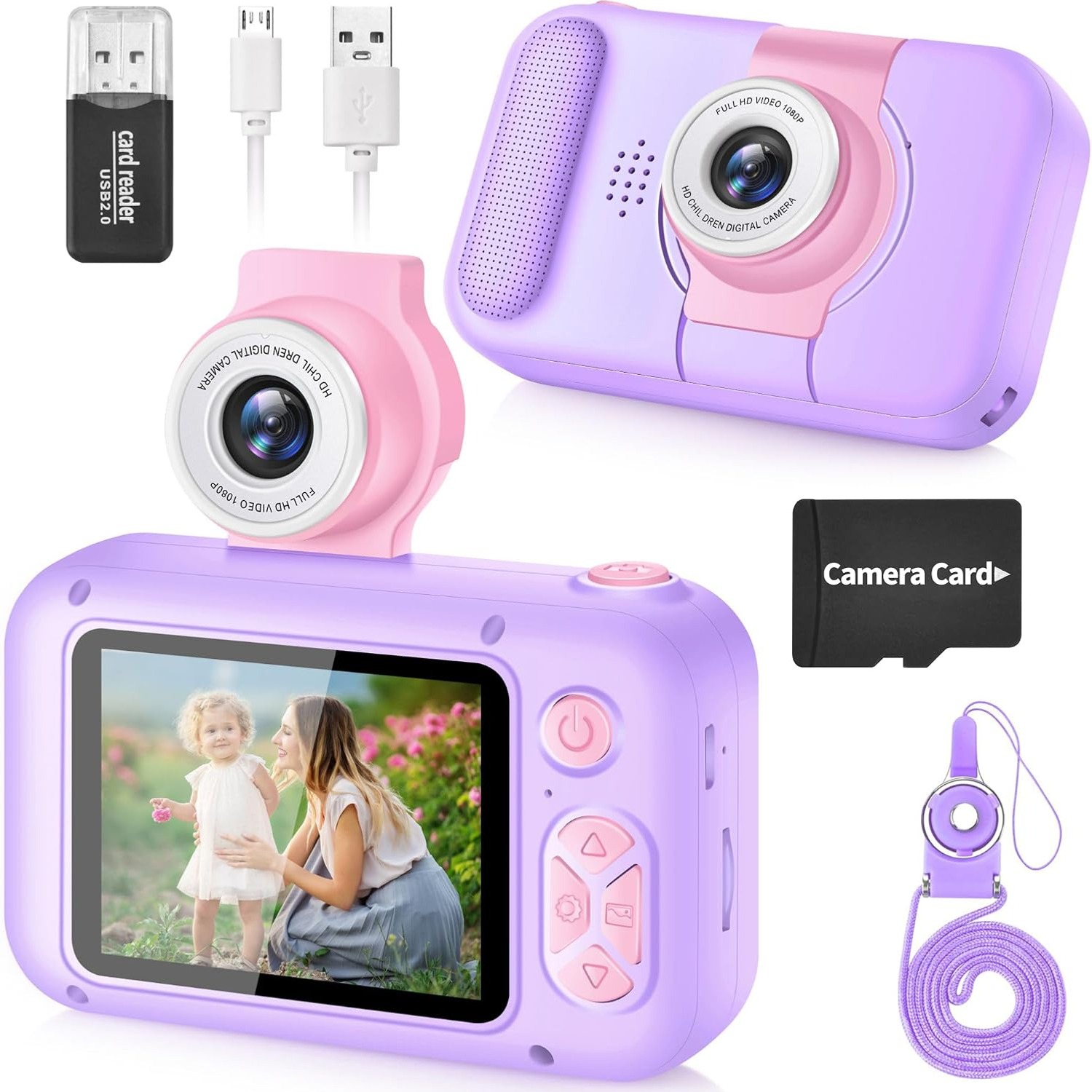
Next, check whether a memory card is included. Plenty of listings quietly leave it out, which means a camera that cannot take a single photo on Christmas morning. This one ships with a TF card already inserted.
Then look at the file format. MP4 video and standard image files save you a lot of grief. Anything proprietary means wrestling with software later.
Look at the extras too, but weigh them properly. Games and filters are not padding, they are what keeps a child engaged between photo sessions. The music player function here, using songs loaded onto the same TF card, genuinely earns its place on a long drive.
Finally, think about the strap. A dual-use strap that works around the wrist or the neck is a small detail that prevents most of the drops that end a camera's life.
Looking after it
Keep it dry and keep it out of direct heat. A soft dry cloth on the screen is all the cleaning it ever needs, and household sprays should stay well away from the ports.
Charge it with the cable that comes in the box, from a standard USB source, and unplug it once it is done. Store it somewhere dry with the strap attached, because a camera that gets picked up by the strap gets dropped far less often than one picked up by the body.
If it sits unused for a while, give it a top-up charge every month or two. Batteries that are left completely flat for long stretches tend to age faster.
The short version
A children's camera is not really about photography. It is about handing a child a tool that is theirs, that costs less than your phone, and that lets them record their own version of events without anyone hovering.
This one does the job with a 180 degree flip lens for selfies and scenery, a 2.4-inch IPS colour screen, 40 MP stills, 1080p MP4 video, ten games, 31 frames, a music player and a TF card already in the slot. It weighs 0.2 kg, comes in purple, and arrives with the cable, strap and manual in the box.
Charge it, set the clock, loop the strap on, and let them get on with it.